Generated example · 2026-09-26
Red saree, two portraits
Created with OpenAI image generation in Codex using fictional AI-generated adults.
Input photos
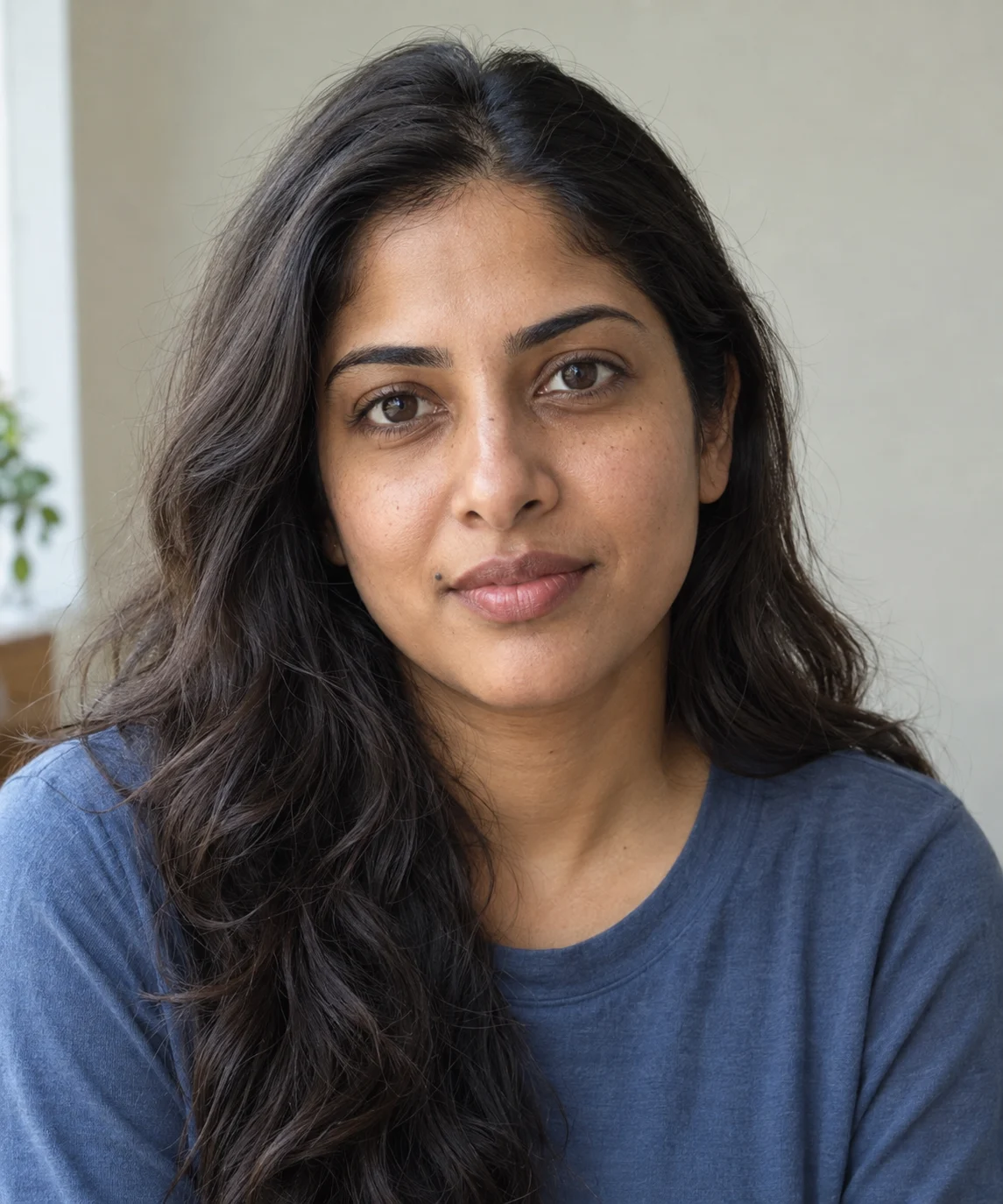
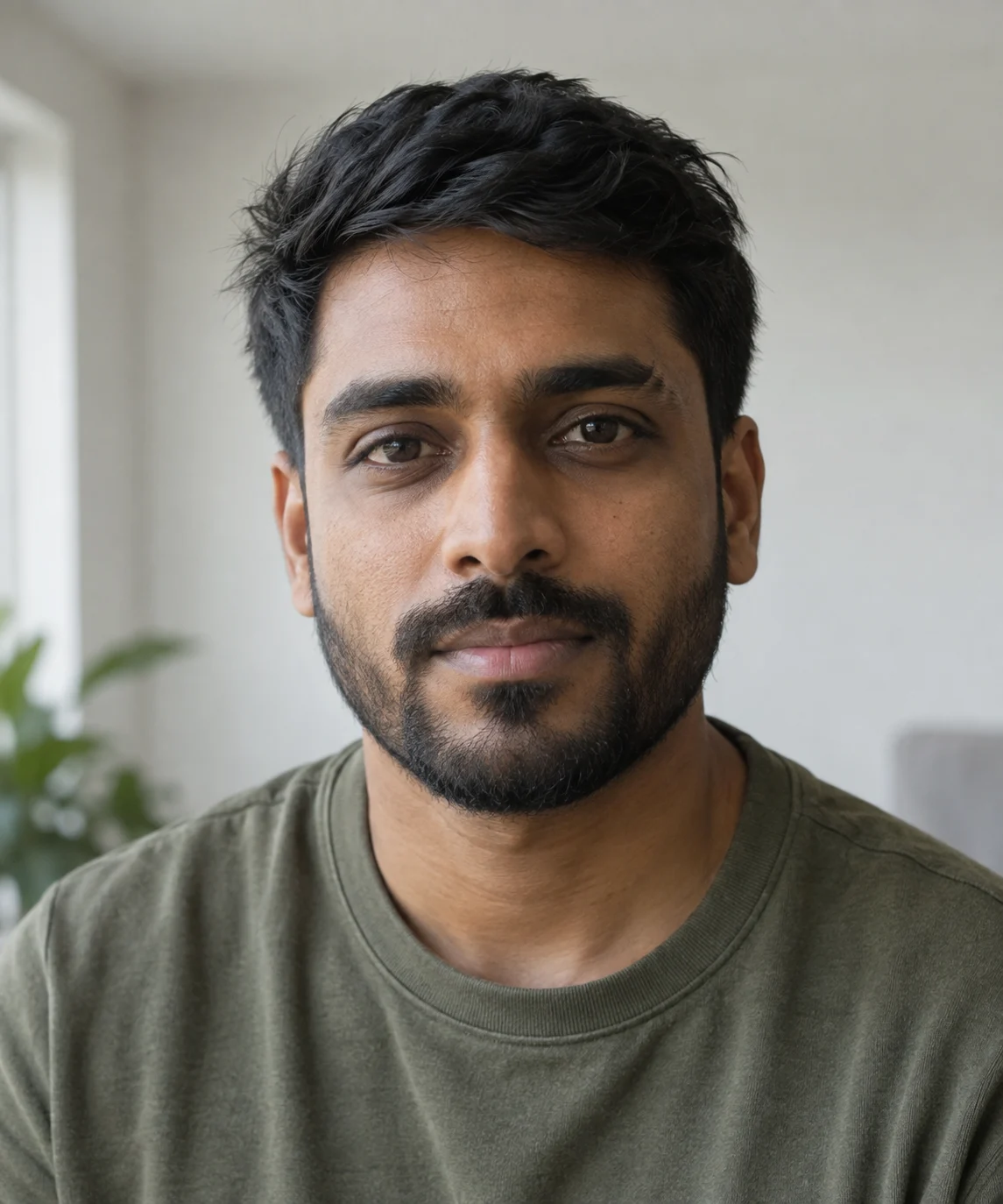
Use the inputs in the order shown.
- Generation tool
- OpenAI image generation in Codex
- Generated on
- 2026-09-26
- Reference photos
- Two separate portraits
Generated result
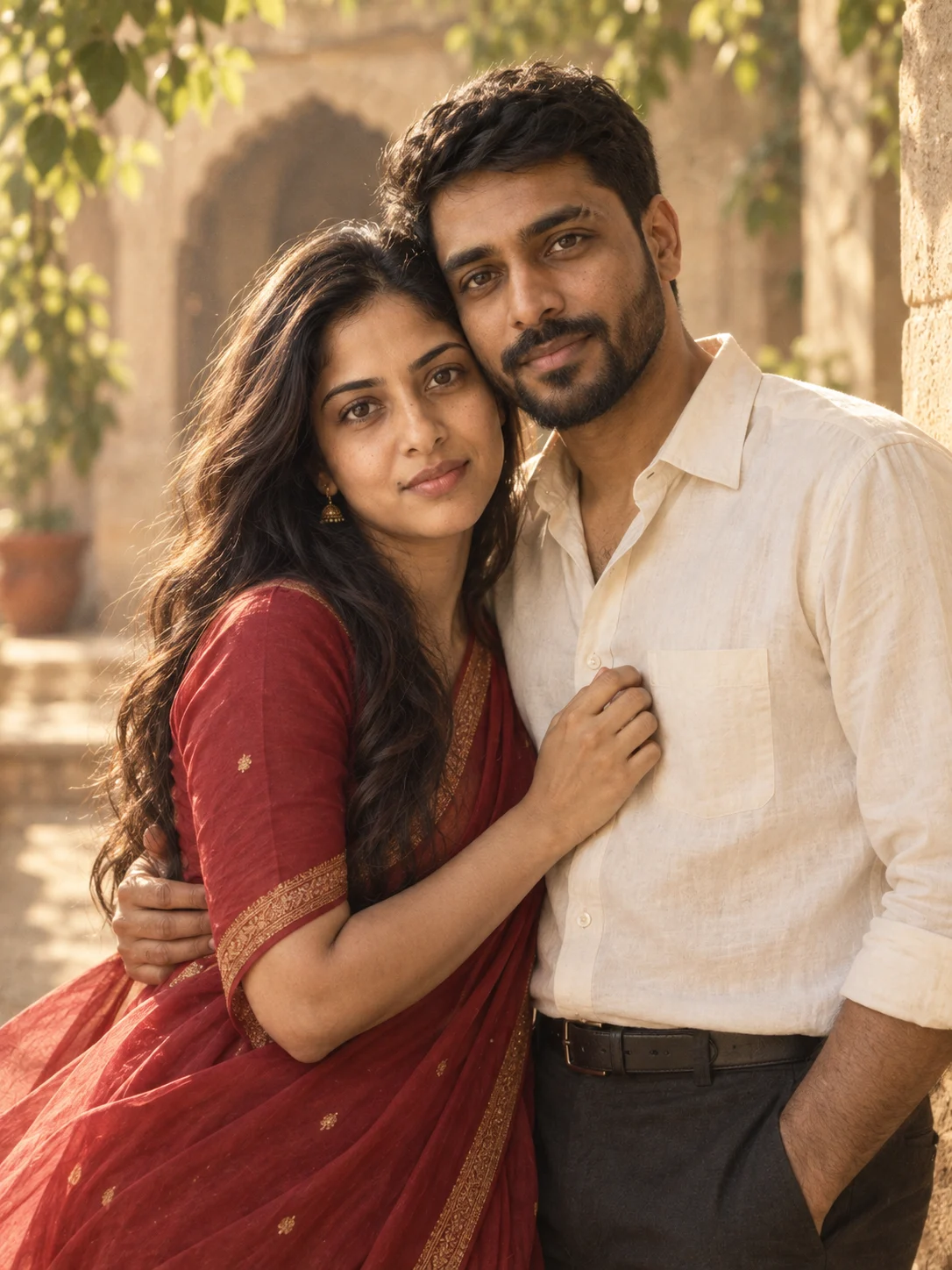
What to check in this result
The red saree, ivory shirt and warm courtyard appear in the result. Compare the woman’s mouth-side mole and the man’s brow and beard with the inputs. The requested forehead-to-forehead pose became a temple lean facing the camera. A follow-up prompt would need to correct the pose.
Exact prompt used
Use TWO uploaded portraits as separate identity references: image 1 is person A and image 2 is person B. Combine exactly these two adults into one coherent couple photograph. Keep each person’s facial features, skin tone, age, hairstyle, and body proportions recognizable and distinct; do not blend faces or copy one face onto both people. Match the camera perspective and lighting across them.

Place the couple in a sunlit sandstone courtyard with leafy shadows and a softly blurred archway. Frame them from the waist up, standing close, foreheads gently leaning toward each other while keeping both faces recognizable. Use soft late-afternoon side light.

Dress one partner in a flowing deep-red chiffon saree with a fine gold border and small gold earrings, and the other in an ivory cotton shirt and dark trousers.

Use a nostalgic 1990s Indian romantic-film look, warm muted colors, gentle grain, natural skin texture, and subtle fabric movement.

Keep both faces clearly visible, with realistic anatomy and natural hands. Include only the two referenced adults. Compose as one 3:4 portrait. No added writing, logos, or watermark.
View the original prompt →