Gemini
Minecraft-style voxel version
Written for Gemini. Results and reference-photo support may differ across models.
The complete prompt
Edit the provided image and add a Minecraft-style voxel version of the main person standing beside the real person, while preserving the original photo and environment. Keep the original human character fully visible and unchanged. Add a second character next to them: a blocky Minecraft-inspired version of the same person.

The Minecraft version must clearly resemble the real person: same hairstyle, same hair color, same outfit, same clothing colors, same bag, same shoes, and the same overall silhouette, but recreated entirely in chunky cubic voxel blocks.

Place the Minecraft character beside the real person in a natural way, as if they are posing together in the same photo. The voxel character should mimic the real person's pose and attitude as closely as possible, with a similar hand gesture, head angle, and body position. Keep the entire original original background background, lighting, framing, perspective, and environment

unchanged. Do not transform the whole image into Minecraft. Only add the Minecraft-style version of the person into the real-world scene

The voxel character should have a clean blocky face with simple square eyes and minimal Minecraft-like features. Hair should be made of layered blocks. Clothing must remain recognizable but fullu pixelated and cube-based.

Make the result look like a real casual iPhone photo where the person is standing next to their Minecraft version. Keep realistic shadows, scale, and perspective so the Minecraft character

feels naturally integrated into the scene.

Important: no extra people, no duplicated random limbs, no distorted anatomy, no background

changes, no text, no watermark.
Copy the complete prompt and use your own reference photos where requested.
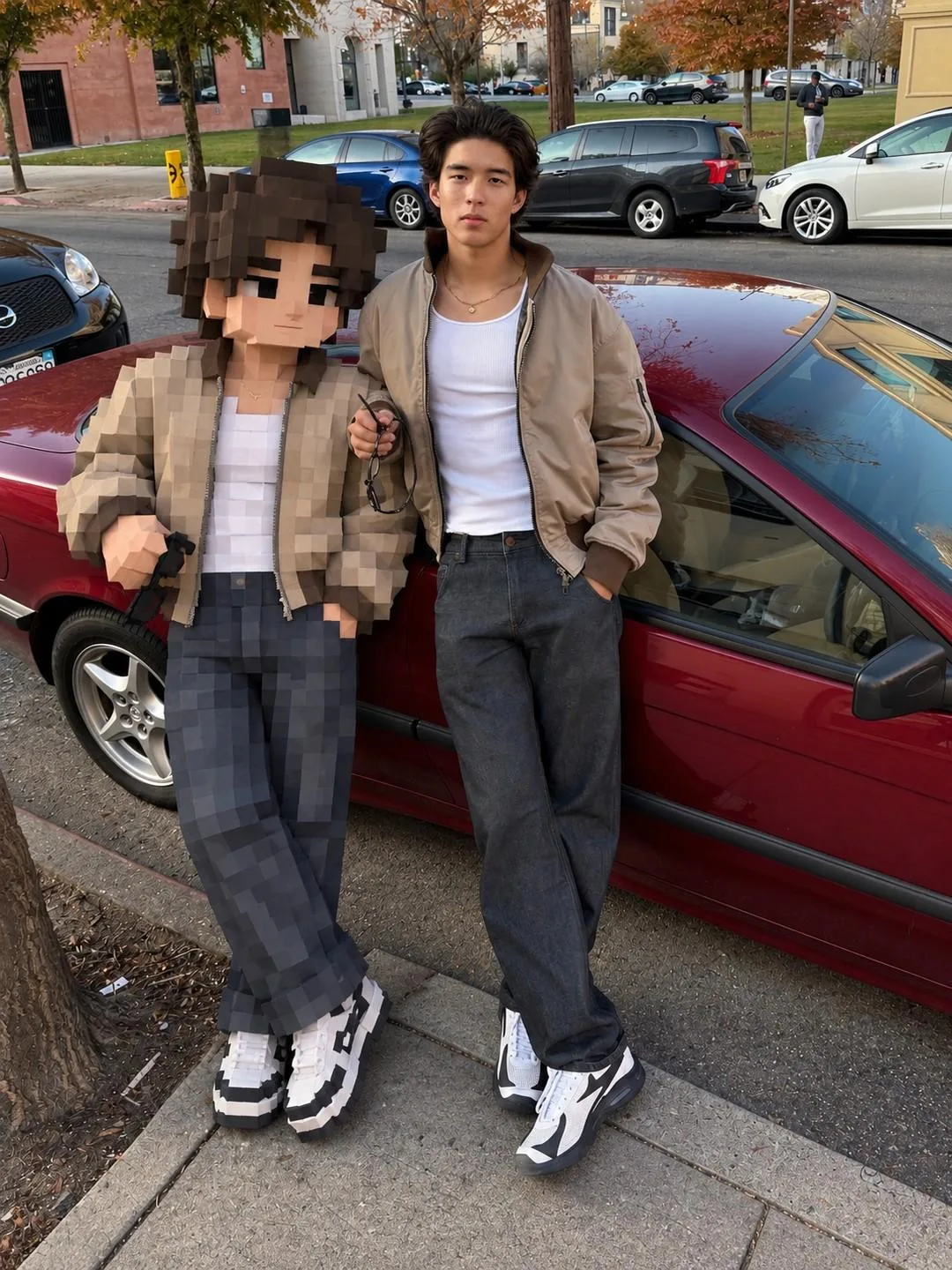
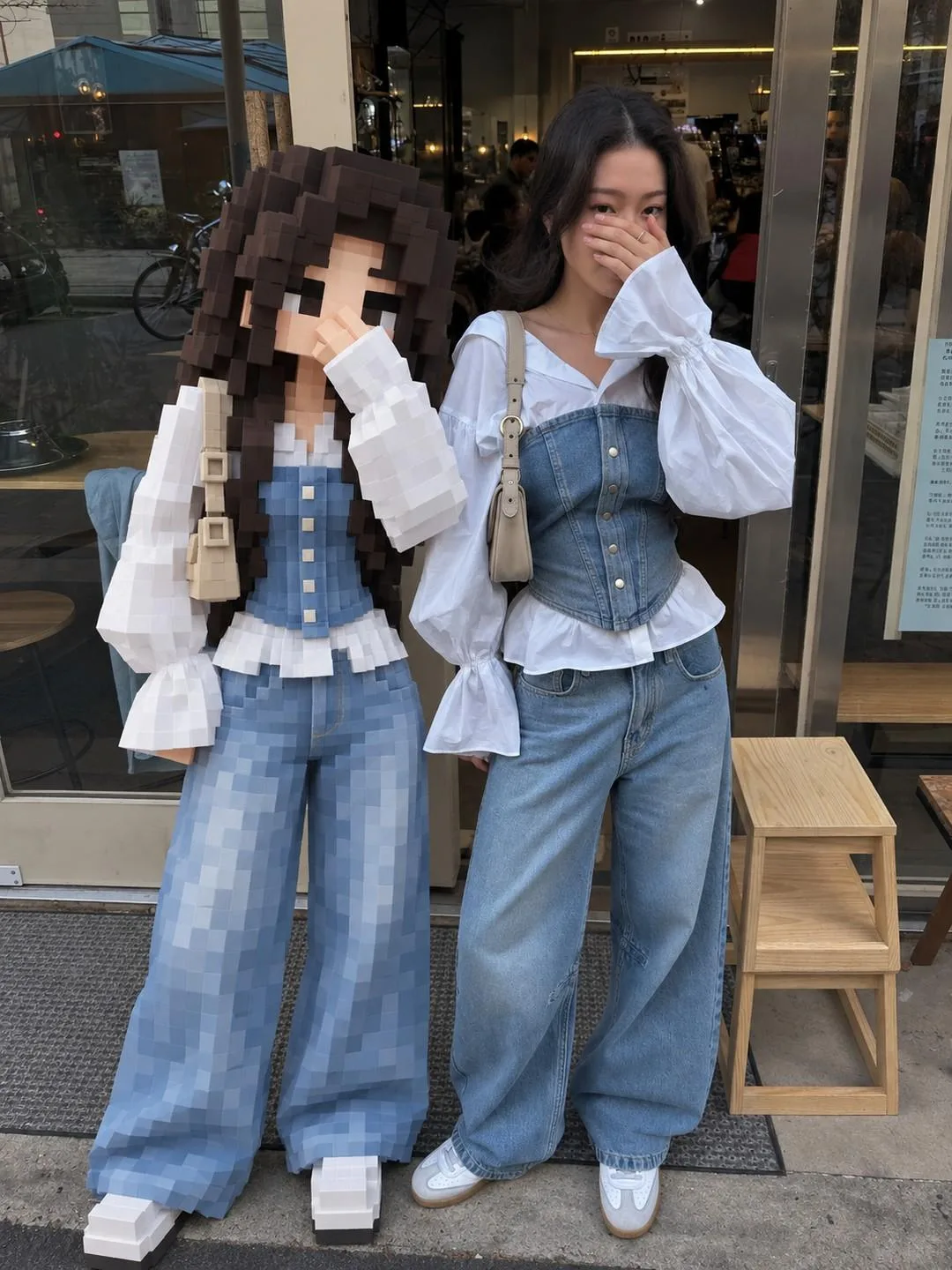
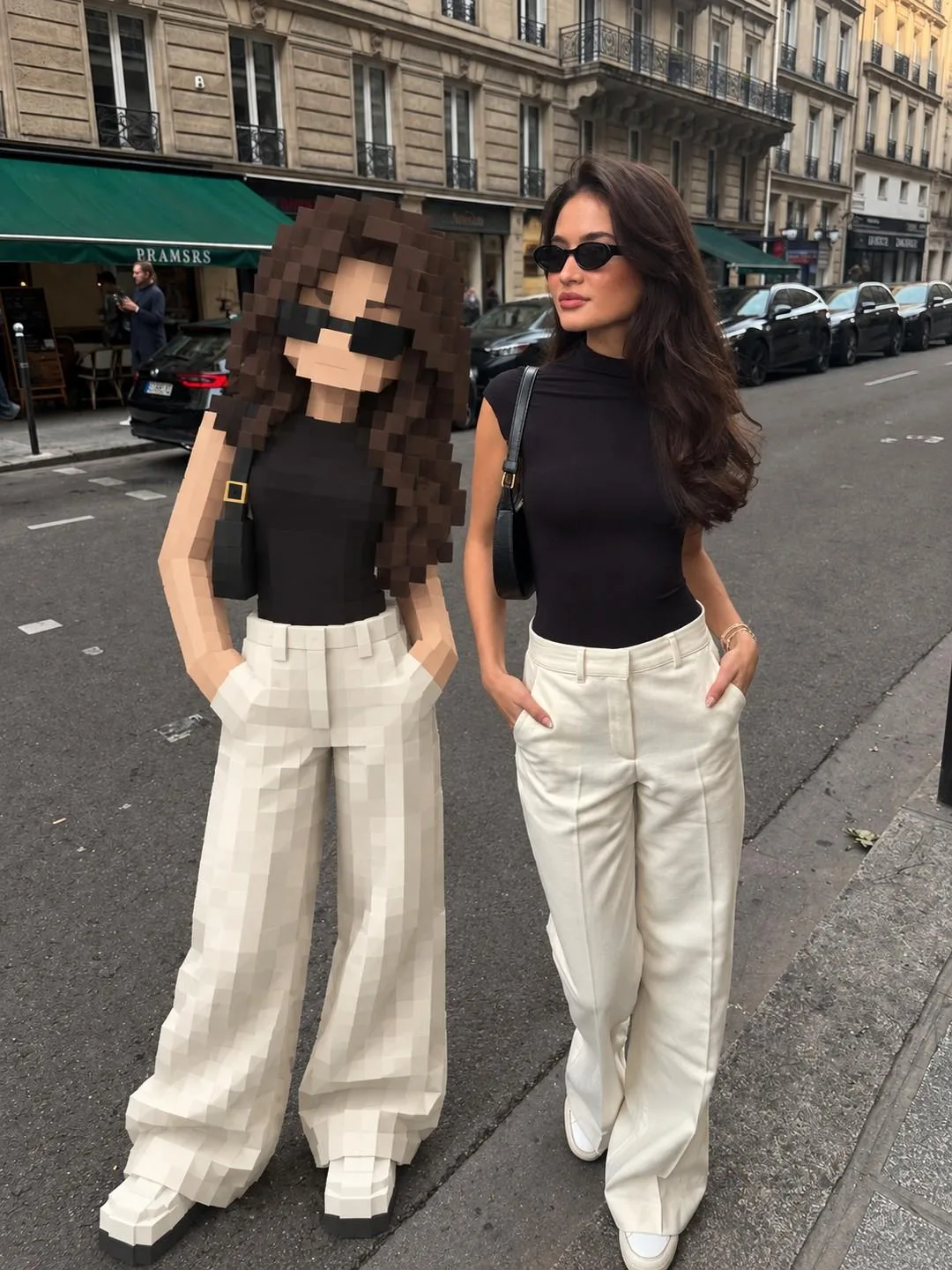
Example image provided with this prompt. This prompt has not been tested by our site.