EVIDENCE-BASED GUIDE · Published October 4, 2026
Photo Strips: Panel Counts, Unexpected Text and What to Check
Count the delivered panels and read every piece of added text. A photo-strip result can contain plausible extra poses, dates or captions that were not requested.
Testing scope and limitations
These guides analyze existing September 26, 2026 generation records from OpenAI image generation in Codex. The tool did not disclose a model version. References are fictional AI adults. Observations do not validate Gemini, Midjourney or a named GPT Image model, and are not success-rate measurements.
Evidence: 2 recorded examples. The prompts and results below are preserved; suggestions for follow-up revisions are explicitly untested.
Unexpected additions in the vintage strip
The recorded vintage strip includes the requested curtain and several poses, but adds a cheek-kiss frame and a handwritten caption and date. The printed date is not the recorded generation date. Decorative text should not be treated as factual metadata.
A layout mismatch in the bouquet strip
The bouquet photo-strip record describes a wide third row that produces seven panels instead of eight. A grid instruction can still result in a different layout, so inspect the delivered panel count.
A proposed revision
Specify an exact row-and-column layout and prohibit captions or dates if you do not need them. For strict production layouts, consider assembling approved single images separately. Neither proposed revision was run as part of these recorded examples.
Review checklist
- Count panels and inspect row widths before publishing.
- Read added captions, numbers and dates at full size.
- Distinguish an observed issue from an untested suggestion for fixing it.
Recorded evidence
Vintage photo-booth moments
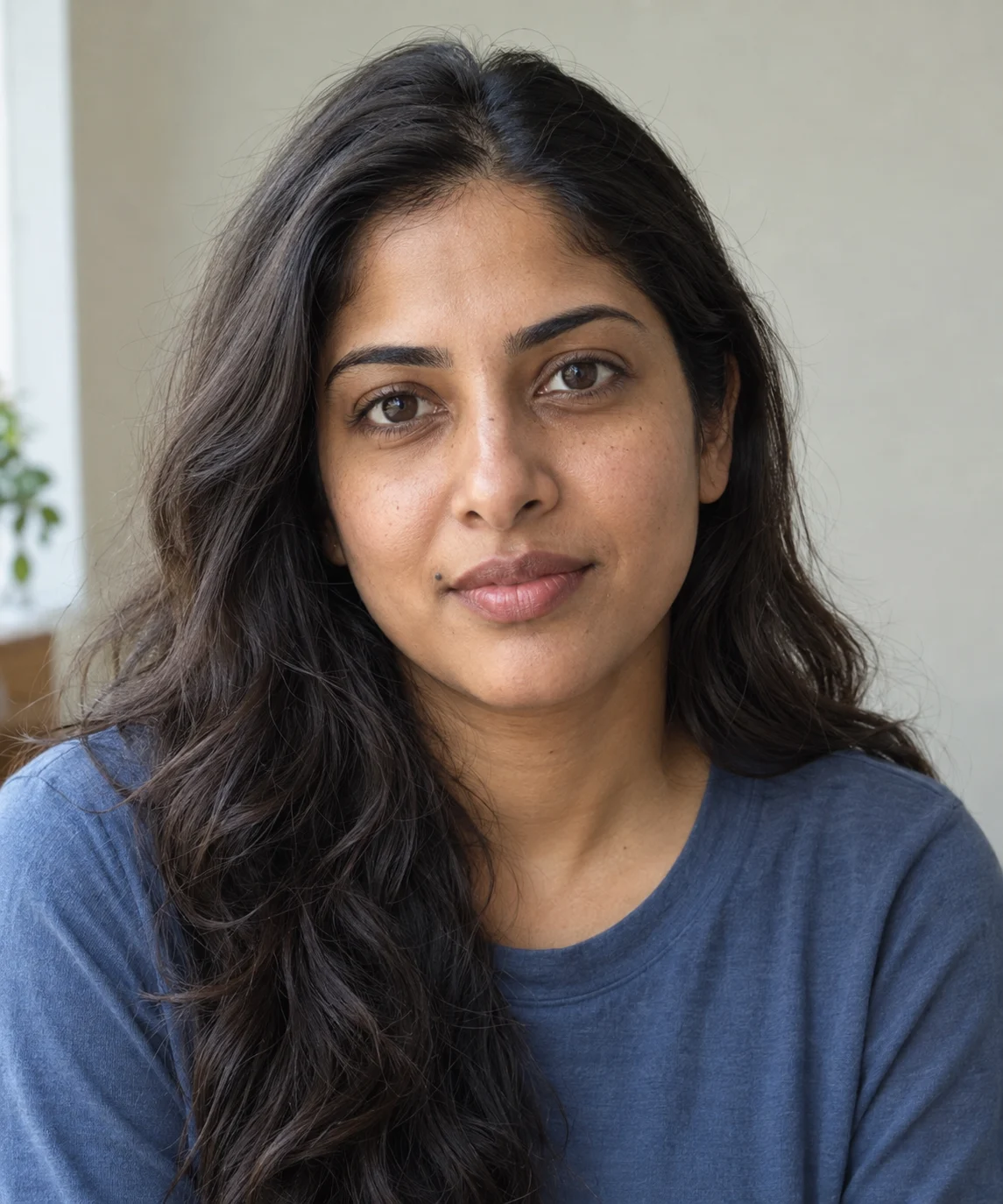

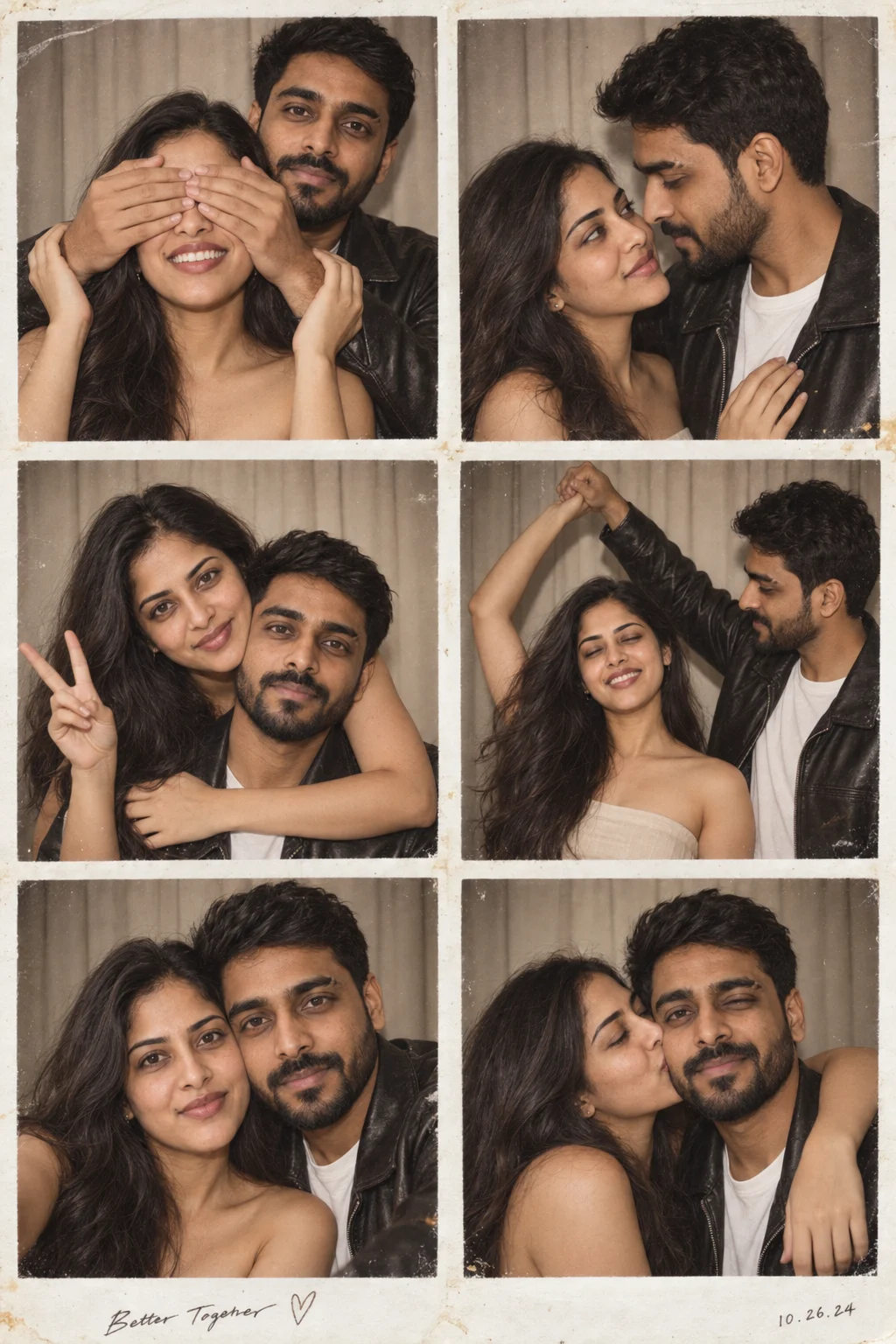
Six frames preserve the reference couple across the curtain backdrop, beige dress and leather jacket. The covered-eyes, peace-sign and dance poses are visible. The output adds a cheek-kiss frame and a decorative handwritten caption and date that were not supplied in the prompt; the printed date is not the generation date.
Bouquet Photo Booth
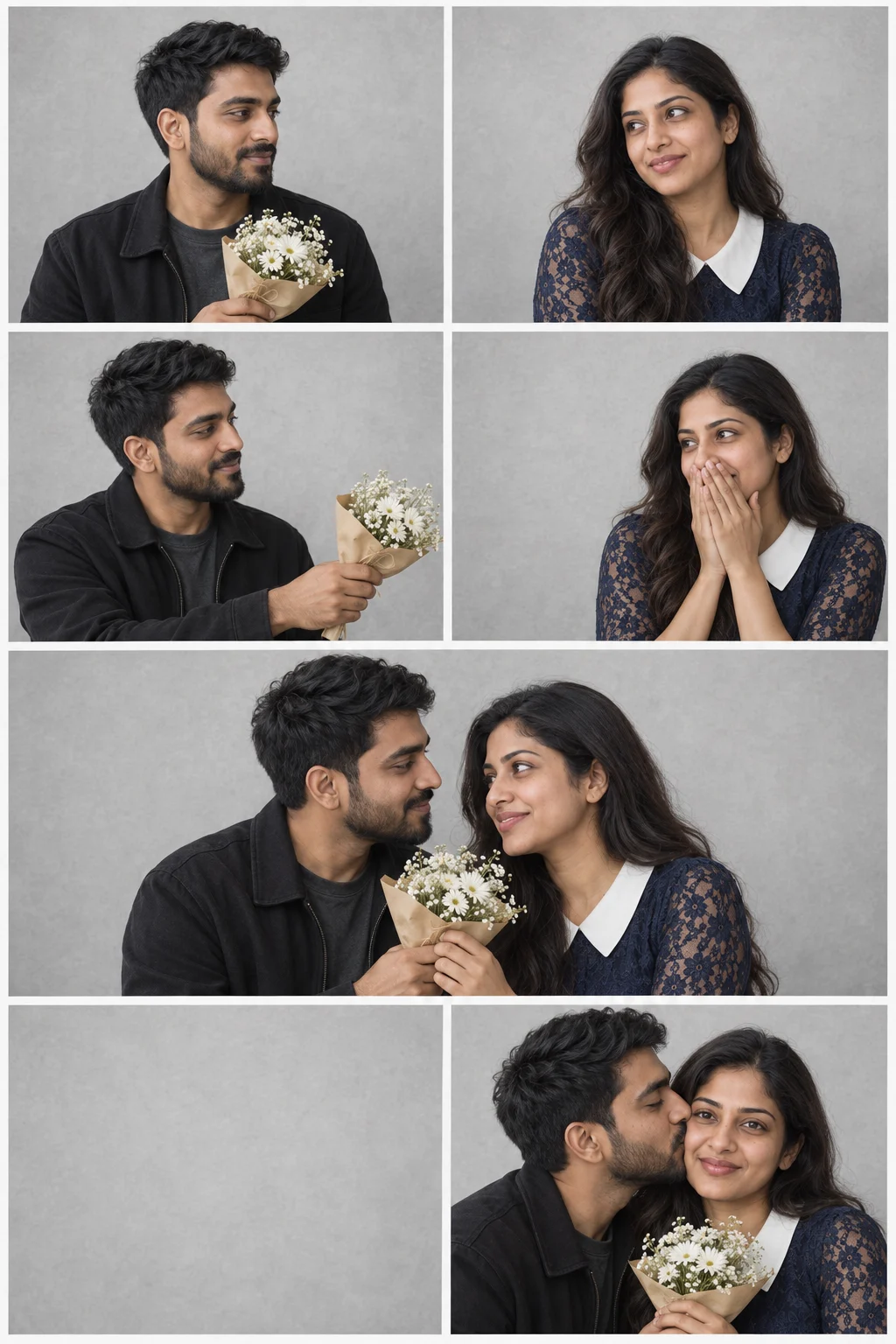
OpenAI-generated bouquet photo strip with a cheek kiss and blank panel; its wide third row produces seven panels instead of eight.