EVIDENCE-BASED GUIDE · Published October 4, 2026
How to Combine Two Portraits into One Couple Photo
Assign each portrait to a separate person, describe their positions and keep the first pose simple. A convincing scene does not automatically mean that both faces or hands are correct.
Testing scope and limitations
These guides analyze existing September 26, 2026 generation records from OpenAI image generation in Codex. The tool did not disclose a model version. References are fictional AI adults. Observations do not validate Gemini, Midjourney or a named GPT Image model, and are not success-rate measurements.
Evidence: 2 recorded examples. The prompts and results below are preserved; suggestions for follow-up revisions are explicitly untested.
Prepare the two references
Use a clear portrait for each adult. Identify image 1 as person A and image 2 as person B. In the recorded examples, the references are fictional AI-generated adults; these tests do not establish performance for real people.
Specify the shared photograph
Describe the framing, person positions, light direction and one action. Add clothing and scenery after the relationship between the two people is clear. Keep identity requirements separate from style instructions.
Read the result against the request
The courtyard result includes the requested clothing and setting, but the forehead-to-forehead instruction became a temple lean. In the kitchen example, overlapping hands make the requested action difficult to read. Review identity and anatomy separately from scene fidelity.
Review checklist
- Compare each face with its own reference, not with the other generated person.
- Inspect hair, hands, clothing contact and the crop at full size.
- Change one failed requirement per revision so you can tell what improved.
Recorded evidence
Red saree, two portraits
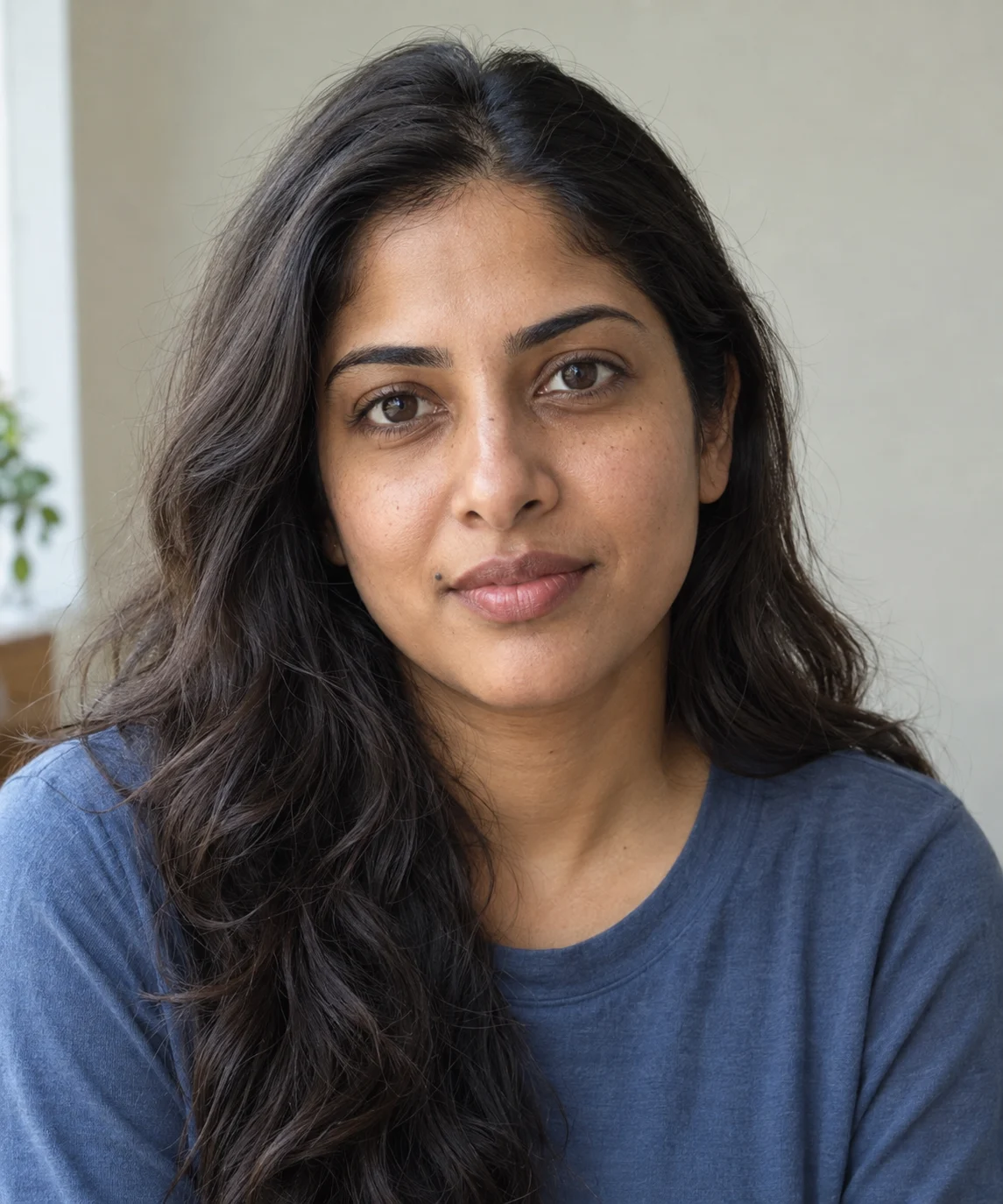
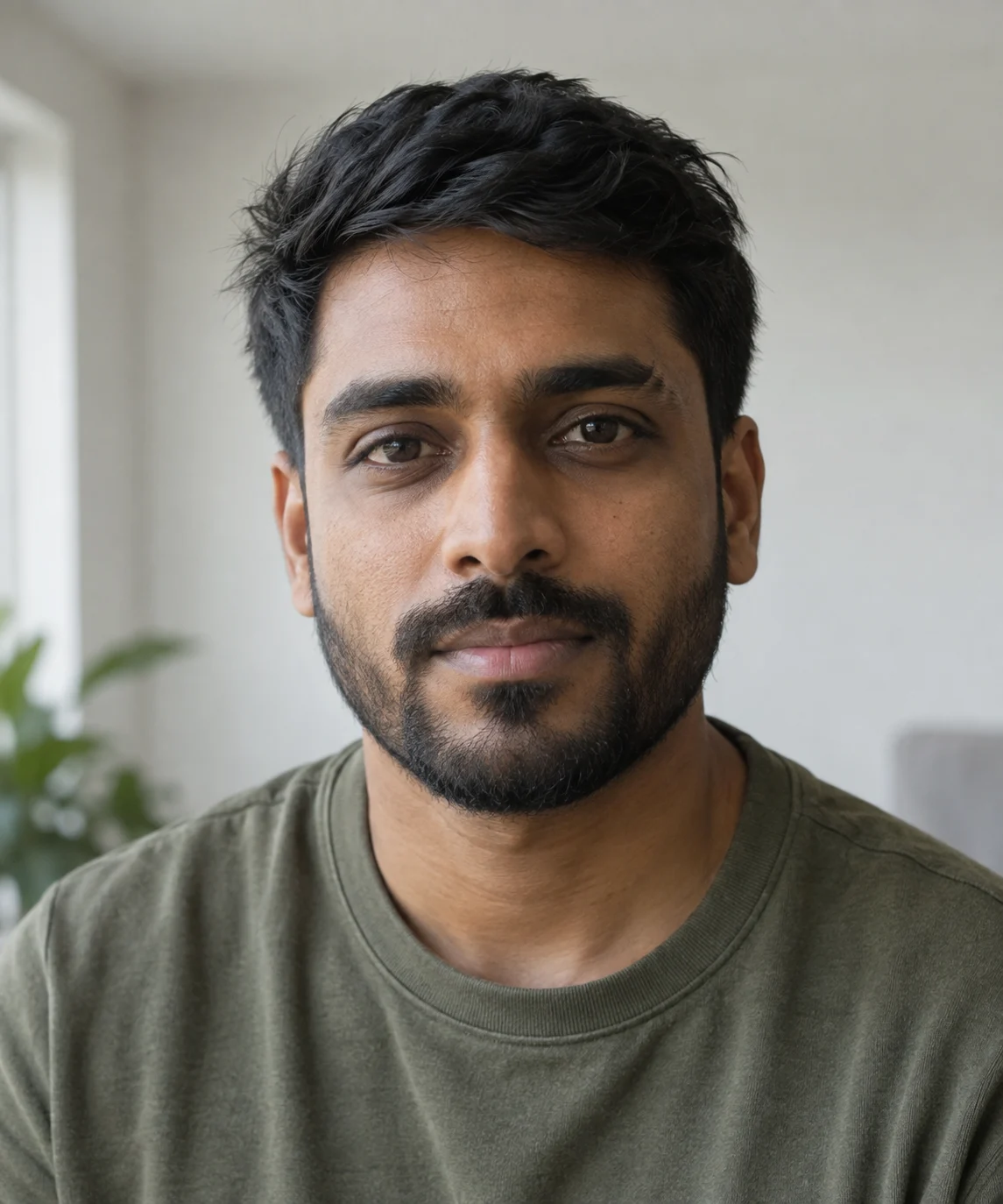
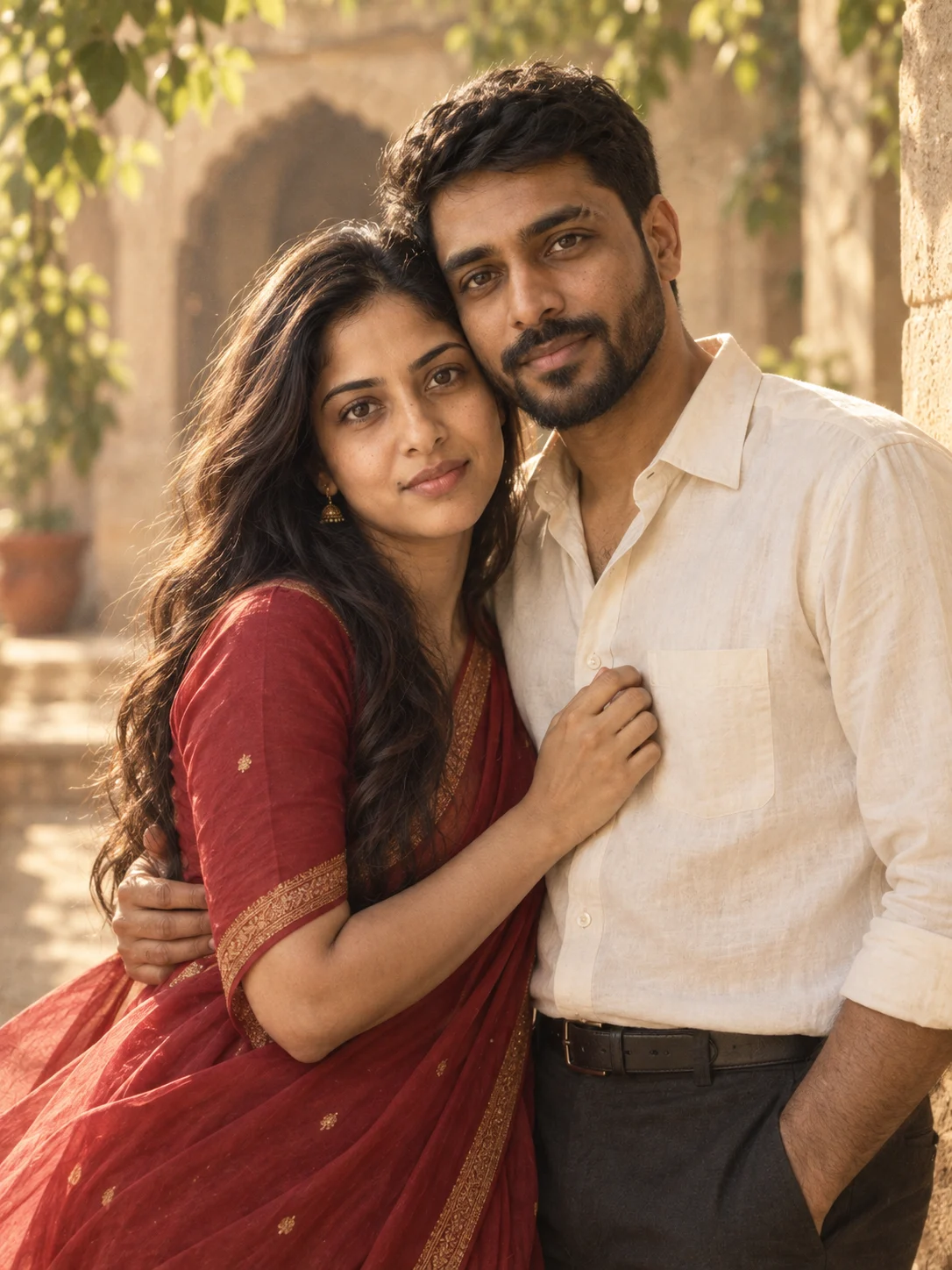
The red saree, ivory shirt and warm courtyard appear in the result. Compare the woman’s mouth-side mole and the man’s brow and beard with the inputs. The requested forehead-to-forehead pose became a temple lean facing the camera. A follow-up prompt would need to correct the pose.
A kitchen moment, from two portraits
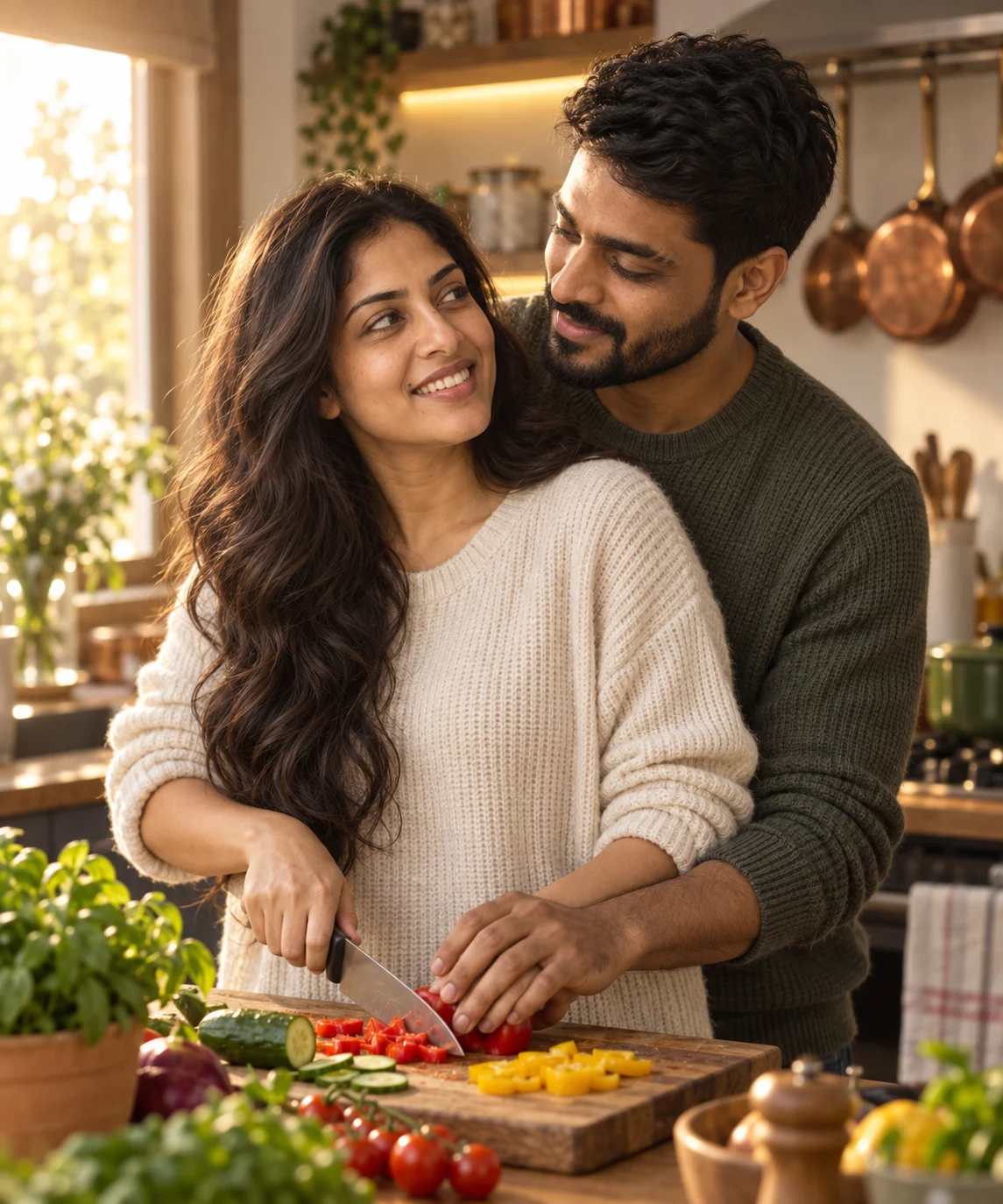
Both adults appear together with the requested sweaters, warm window light and kitchen setting. The overlapping hands make the exact hand-over-hers action difficult to read, and the man’s hairstyle is more tousled than in his reference. Check hands and hair as well as faces before keeping your result.