EVIDENCE-BASED GUIDE · Published October 4, 2026
One Couple Photo or Two Portraits: What Our Examples Show
A shared reference already contains a relationship between the people; two portraits require the tool to construct that relationship. Both approaches still need a review of likeness, framing and anatomy.
Testing scope and limitations
These guides analyze existing September 26, 2026 generation records from OpenAI image generation in Codex. The tool did not disclose a model version. References are fictional AI adults. Observations do not validate Gemini, Midjourney or a named GPT Image model, and are not success-rate measurements.
Evidence: 2 recorded examples. The prompts and results below are preserved; suggestions for follow-up revisions are explicitly untested.
What was actually tested
The courtyard example used two separate fictional portraits. Its generated couple photo was then used as the single reference for the instant-film example. This is a sequential workflow with different scene and outfit instructions, not a controlled A/B test.
The two-reference outcome
The courtyard scene followed the requested clothes and warm light, while the contact between heads differed from the prompt. Separate references did not remove the need to inspect pose and faces.
The single-reference outcome
The instant-film result changed the outfits and kept recognizable hair and beard features. Its crop was waist-up rather than the requested shoulder-up. The shared reference did not guarantee the requested framing.
Choose from your available inputs
Use the best reference material you have. If you already have a suitable shared photo, you can start from it; if you only have separate portraits, identify the two roles explicitly. These examples do not establish that one input method is always more accurate.
Review checklist
- Keep the input type visible in your generation record.
- Do not compare two methods as a fair test when the scene and styling also change.
- Judge the output against the actual reference and requested crop.
Recorded evidence
Red saree, two portraits
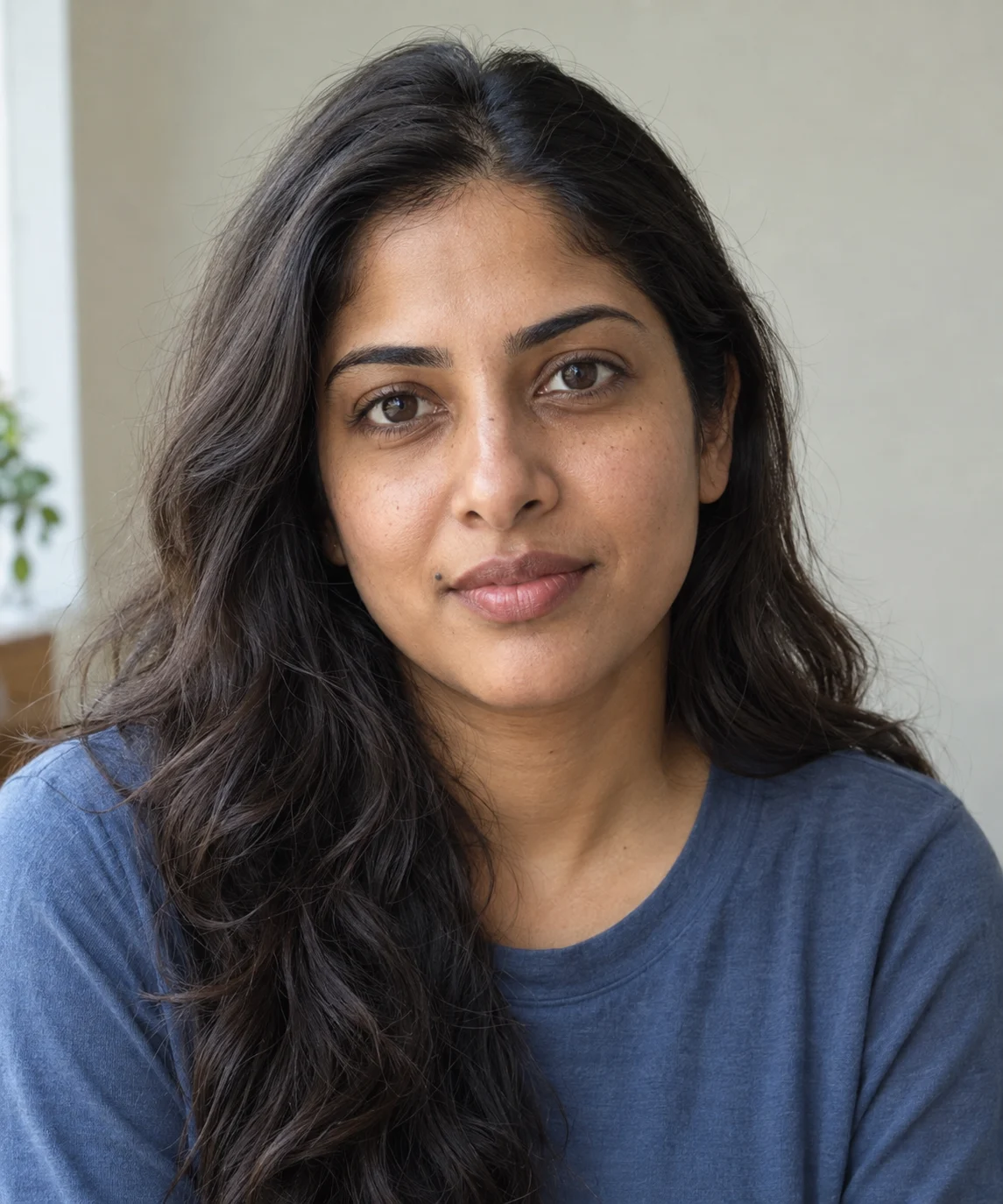

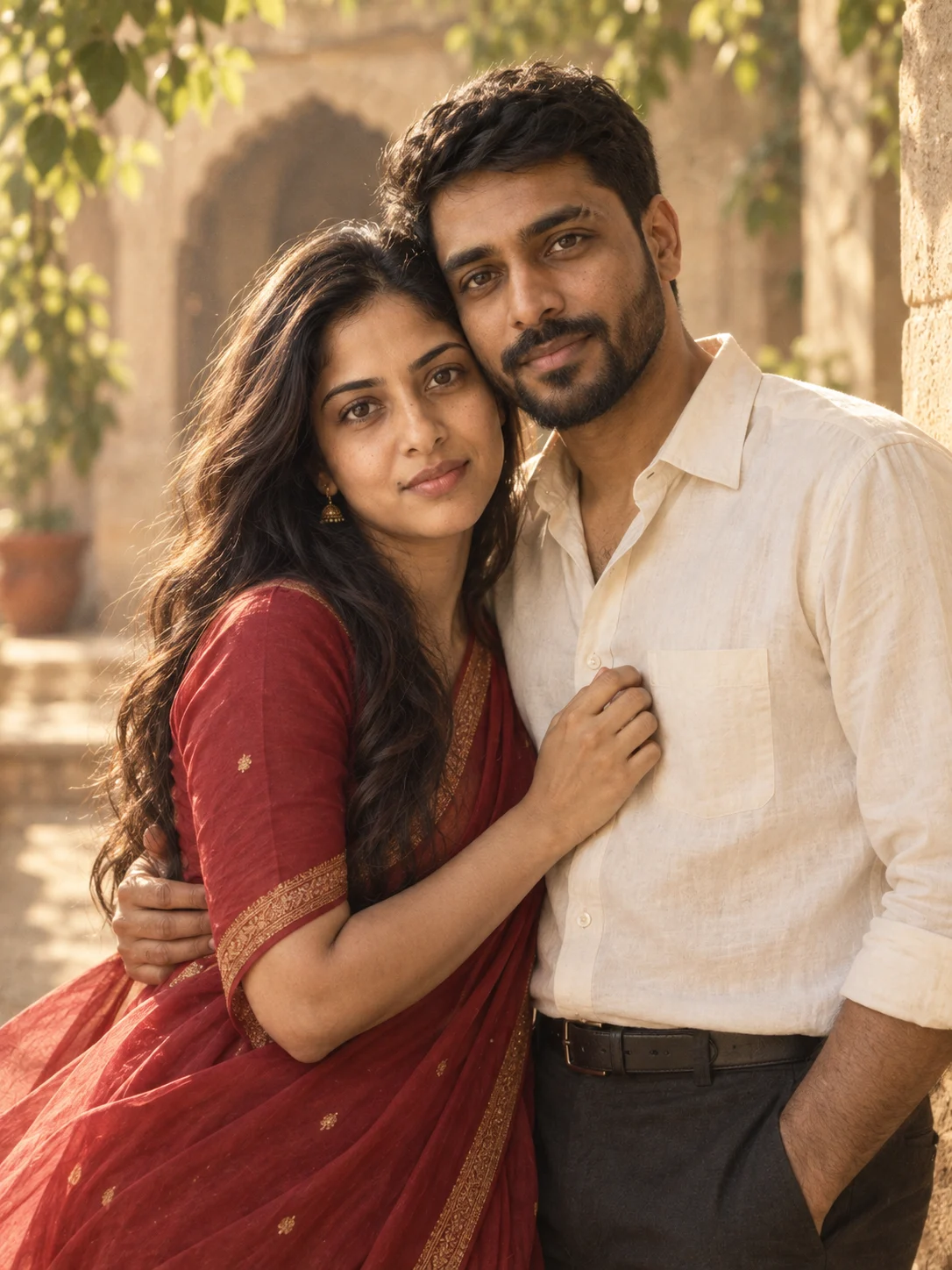
The red saree, ivory shirt and warm courtyard appear in the result. Compare the woman’s mouth-side mole and the man’s brow and beard with the inputs. The requested forehead-to-forehead pose became a temple lean facing the camera. A follow-up prompt would need to correct the pose.
An instant-film photo from one couple photo
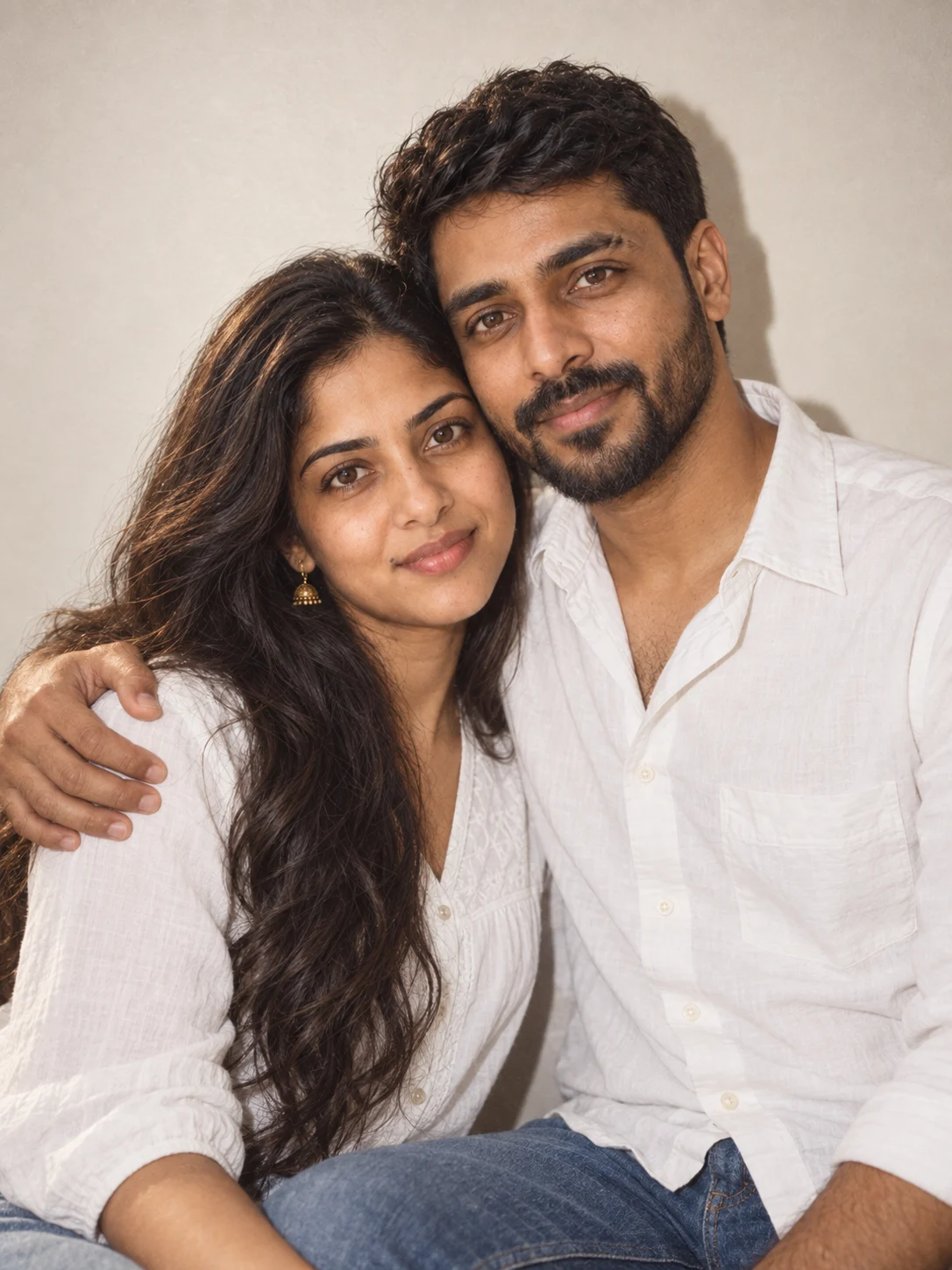
The result changes the retro outfits into white tops and denim while retaining recognizable face, hair and beard features from the shared photo. A direct-flash shadow and plain wall are visible. The crop is waist-up rather than the requested shoulder-up, and the film grain is subtle. A new render would be needed for a tighter crop.